Focus indicators: what WCAG 2.2 asks for and how to style them
What WCAG 2.2 asks of keyboard focus indicators, CSS for a ring that works on any background, and how to strengthen Dawn's focus ring on Shopify.
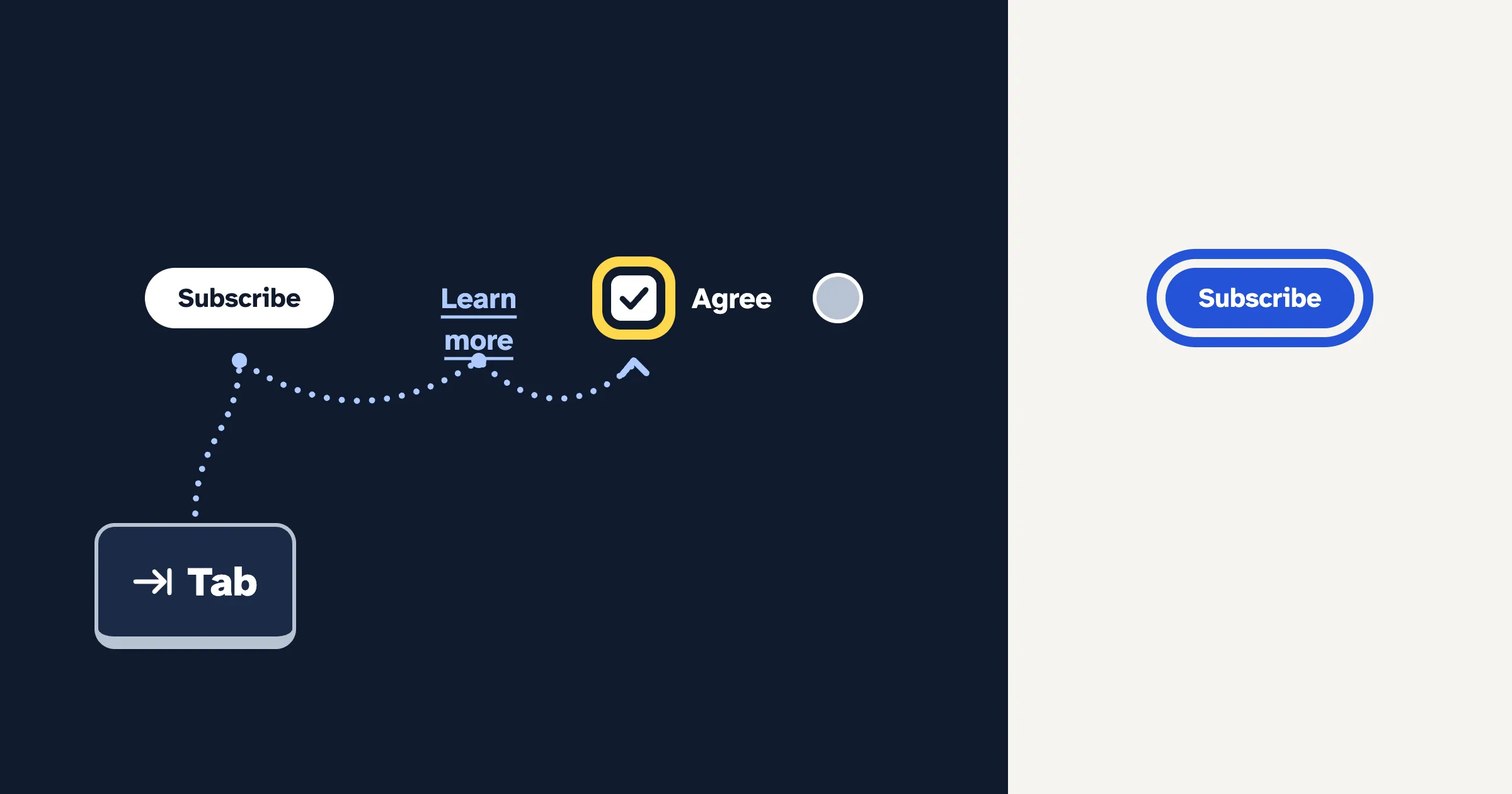
A focus indicator is the ring or highlight that shows which link, button or field the keyboard is on. At Level AA, WCAG 2.2 asks that it’s visible, that an indicator you’ve styled has 3:1 contrast against the colors next to it, and that sticky content never hides the focused item completely. The style that works almost everywhere is a solid outline at least 2 pixels thick, offset from the element, in a color that stands out from the page.
Who relies on a focus indicator?
Anyone who moves through a page with a keyboard, or with something that acts like one: people with motor disabilities who can’t use a mouse, switch and on-screen keyboard users, many people with low vision, and people who simply prefer the keyboard. Each press of Tab moves focus to the next control. Without a visible indicator, they’re guessing where they are, and pressing Enter on a guess can add the wrong product to a cart.
Our keyboard accessibility guide covers the whole keyboard test. This guide goes deeper on the indicator itself: what each criterion measures, and the CSS that holds up in light mode, dark mode and Windows contrast themes.
What does WCAG 2.2 ask for?
Five success criteria touch the focus indicator. Three are Level AA, the level most laws and policies point to.
| Success criterion | Level | What it asks |
|---|---|---|
| 2.4.7 Focus Visible | AA | There’s a mode of operation where the keyboard focus indicator is visible. No size or color is set. |
| 1.4.11 Non-text Contrast | AA | Visual information needed to identify a component’s state, focus included, has 3:1 contrast against adjacent colors. |
| 2.4.11 Focus Not Obscured (Minimum) | AA | The focused component is not entirely hidden by author-created content. New in 2.2. |
| 2.4.12 Focus Not Obscured (Enhanced) | AAA | No part of the focused component is hidden by author-created content. New in 2.2. |
| 2.4.13 Focus Appearance | AAA | The indicator is big enough and changes contrast enough between states. New in 2.2. |
How does contrast apply to focus?
W3C’s Understanding page for 2.4.7 says focus indicators are also subject to 1.4.11, because they’re usually borders or outlines. Two details are easy to miss:
- It’s measured against what’s next to the indicator. A ring drawn outside a button has to contrast with the page behind it, not with the button. A yellow ring that looks great on a navy button fails on a white page.
- The browser’s default style is exempt, as long as it’s still visible. The moment you restyle focus, your indicator needs 3:1. That’s why a custom ring in a pale brand color is riskier than leaving the default alone.
1.4.11 doesn’t measure how much a component changes when it gains focus. That’s 2.4.13’s job.
What does Focus Appearance measure?
2.4.13 is Level AAA, so it isn’t usually required, but it’s the best definition of a focus indicator people can actually see. When focus is visible, an area of the indicator must:
- be at least as large as the area of a 2 CSS pixel thick perimeter of the unfocused component, and
- have a contrast ratio of at least 3:1 between the same pixels in the focused and unfocused states.
For a 90 by 30 pixel button, W3C works the area out at 480 square pixels. A solid 2px outline drawn around the button meets it. An indicator drawn inside the button has a shorter perimeter, so it needs to be thicker; W3C’s example uses 3px. The second rule compares each pixel before and after focus, so a button whose background darkens one shade on focus fails it, even though it’s technically visible.
How do you style a focus indicator that works?
Start with :focus-visible and an outline
Browsers apply :focus-visible when someone navigates by keyboard and usually not after a mouse click, though text fields may still show it (technique C45). Removing the outline without a replacement fails 2.4.7, 1.4.11 and 2.4.13 (failure F78).
:focus-visible {
  outline: 3px solid #2453d6;
  outline-offset: 3px;
}
The offset matters. It draws the ring on the page background, a gap away from the element, so the ring never blends into a dark button or a photo, and its contrast is easy to predict: you only check it against the page.
Don’t draw the ring with box-shadow alone
A box-shadow ring looks smooth and follows rounded corners, and many themes use one. The trouble is forced colors mode, which Windows turns on with its contrast themes (Settings › Accessibility › Contrast themes). In that mode, browsers force box-shadow to none and replace outline colors with the user’s chosen system colors, as MDN documents. A shadow-only ring simply disappears, for exactly the people who changed their colors to see better.
If you want to keep a shadow, W3C’s technique C40 recommends adding a transparent outline next to it for forced-color modes:
.button:focus-visible {
  box-shadow: 0 0 0 3px #ffffff, 0 0 0 6px #2453d6;
  /* Invisible normally. Keeps a ring in forced colors mode, which drops box-shadow. */
  outline: 2px solid transparent;
}
Use two colors when the background changes
A single color can’t contrast with every background. Shopify stores mix white pages, dark footers, colored banners and product photos. C40’s answer is a two-color ring: a light color and a dark color that contrast with each other by at least 9:1, so one of them always stands out.
:focus-visible {
  /* Inner ring: white. An outline, so it survives forced colors mode. */
  outline: 2px solid #ffffff;
  outline-offset: 0;
  /* Outer ring: navy, showing 3px beyond the white. */
  box-shadow: 0 0 0 5px #0f1b2d;
}
White and navy #0f1b2d contrast at more than 17:1. On a light page the navy ring does the work; on a dark section or a photo, the white one does. If forced colors mode drops the shadow, the outline is still there.
A worked example: our own focus ring
The focus ring is this site’s signature. It’s a 3px outline with a 3px offset, in a color chosen per theme:
:root {
  --ah-focus: #2453d6; /* Signal Blue: 5.8:1 on our light page background */
}

@media (prefers-color-scheme: dark) {
  :root {
    --ah-focus: #ffd84d; /* Focus Yellow: 13.3:1 on our dark page background */
  }
}

:focus-visible {
  outline: 3px solid var(--ah-focus);
  outline-offset: 3px;
  border-radius: 4px;
}

/* The header and footer are dark in both themes. */
.ah-ink :focus-visible {
  outline-color: #ffd84d;
}
Why not one color? Signal Blue on our dark background falls under 3:1, and Focus Yellow on our light background is about 1.3:1. Each color only works where it’s used. A ring this size also clears the 2.4.13 area rule with room to spare. Press Tab on this page to see it.
How do you stop sticky content hiding focus?
2.4.11 fails when a focused element is entirely hidden by something you added: a sticky header, a cookie banner, a promo bar fixed to the bottom of the screen. A chat bubble in the corner usually hides only part of a control, which still passes 2.4.11 but fails the AAA 2.4.12. W3C notes one exception: content the shopper opened themselves, such as a menu, can cover focus if they can reveal it without moving focus, for example by pressing Esc.
The fix is to tell the browser how much room the sticky content takes, so it scrolls focused elements clear of it (technique C43):
html {
  /* Height of the sticky header, plus breathing room. */
  scroll-padding-top: 5rem;
  /* Height of a cookie banner fixed to the bottom. */
  scroll-padding-bottom: 6rem;
}
For a cookie banner, W3C also describes making it modal, so it’s dealt with first. A notice that needs no action can instead close when it loses focus.
How does Shopify’s Dawn theme draw focus?
Checked against Dawn 16.0.0, Shopify’s open-source theme. Dawn removes the browser’s default ring on :focus and draws its own on :focus-visible:
/* From Dawn's base.css, simplified */
*:focus-visible {
  outline: 0.2rem solid rgba(var(--color-foreground), 0.5);
  outline-offset: 0.3rem;
  box-shadow: 0 0 0 0.3rem rgb(var(--color-background)),
    0 0 0.5rem 0.4rem rgba(var(--color-foreground), 0.3);
}
Dawn sets its root font size so that 1rem is 10px at the default font scale. That makes the ring a 2px outline, 3px from the element, in the color scheme’s text color at half strength, with a soft glow around it. Four details:
- Buttons are different. Dawn removes their outline and draws the ring with
box-shadowonly. For forced colors mode it adds a transparent outline to buttons and form fields, the C40 approach, so a ring still shows. - The logo, header icons and menu drawer links use an inset ring instead: the same half-strength 2px outline, drawn just inside the element.
- Form fields get a solid ring in the full text color, on any focus, so it also shows when a shopper clicks into a field.
- Contrast depends on your color schemes. By our calculation, the half-strength ring clears 3:1 on all five of Dawn’s default schemes, the blue one only just. A custom mid-tone scheme can drop below: a sage background (
#9caf88) with near-black text gives a half-strength ring of about 2.8:1. The same text color at full strength is 7.9:1.
For Shopify stores
Find and fix accessibility issues on your store
CodeInspire Accessibility Tool adds an accessibility widget for your shoppers, audits your pages against WCAG, and gives you step-by-step fixes for your Shopify admin, theme editor or theme code.
How do you add a stronger focus ring on Shopify without editing code?
Shopify’s theme editor has a Custom CSS setting, so you don’t need to touch theme files. Go to Online Store › Themes › Edit theme › Theme settings › Custom CSS. CSS there applies to every page except checkout, and it’s limited to 1,500 characters. Each section also has its own Custom CSS box, scoped to that section and limited to 500 characters.
For Dawn and themes built on it, this makes the ring full strength in every color scheme, adds a real outline to buttons, and thickens the inset ring Dawn uses on the logo, the header icons and the menu drawer:
/* Full-strength ring in each color scheme's text color. */
html :focus-visible {
  outline: 2px solid rgb(var(--color-foreground));
  outline-offset: 3px;
}

/* Buttons: Dawn draws their ring with a shadow only. */
html .button:focus-visible {
  outline: 2px solid rgb(var(--color-foreground));
  outline-offset: 3px;
}

/* Inset rings: drawn inside the element, so 3px thick. */
html .focus-inset:focus-visible {
  outline: 3px solid rgb(var(--color-foreground));
  outline-offset: -3px;
}
The html at the start makes each rule a little more specific than the Dawn rule it replaces, so it wins whichever order the styles load in. Other themes use different variable and class names; open your browser’s developer tools, focus an element and see which rule draws its ring. Shopify warns that a theme update can break custom CSS that relies on particular classes, so test again after updating.
How do you test your focus indicator in one minute?
- Open your home page and press Tab. In Safari on a Mac, use Option+Tab, or turn on “Press Tab to highlight each item on a webpage” in Safari’s settings.
- Keep pressing Tab through the header, a product card, a button and the footer. At every stop, can you see where you are within a second, without hunting?
- Look hardest at buttons, links on images and banners, and anything in a dark or colored section.
- Watch the edges of the screen. Does focus ever slide under a sticky header, cookie banner or chat button?
- On Windows, turn on a contrast theme and Tab through again. Any control with no ring is drawing it with
box-shadowalone.
What can’t a tool tell you?
- Whether focus is visible at all. Lighthouse, which our website checker runs, lists “Interactive controls are keyboard focusable” among the items to check by hand. Automated checkers don’t tab through a page and judge each ring.
- Ring contrast in context. A contrast checker compares two colors you give it. Rings with opacity, glows or photos behind them need your eyes first.
- Hidden focus. Whether a sticky header covers a link depends on scroll position, screen size and content length.
- Forced colors and dark mode. Each is a separate pass with the setting turned on.
What should you do next?
- Run the one-minute Tab test on your home page, a product page and the cart.
- Check your ring color against each background it sits on with the contrast checker, using the color you see for semi-transparent rings.
- Strengthen a faint ring in Theme settings › Custom CSS, and add
scroll-paddingif a sticky header or banner hides focus. - Run the free website accessibility checker on the same pages to catch what a tool can find, then work through its list of checks to do by hand.
Related guides
- Keyboard accessibility: how to test and fix your site
- WCAG color contrast requirements: ratios, rules and fixes
- Dawn theme accessibility: common issues and how to fix them
Frequently asked questions
Does WCAG require a specific focus indicator color or thickness?
Not at Level AA. Success criterion 2.4.7 Focus Visible only asks that keyboard focus is visible. If you style the indicator yourself, 1.4.11 Non-text Contrast asks for 3:1 contrast against the colors next to it. The size rule is in 2.4.13 Focus Appearance, Level AAA: an area at least as large as a 2 CSS pixel thick perimeter of the component, with 3:1 contrast between its focused and unfocused states.
Should I use :focus or :focus-visible?
Use :focus-visible for your main focus style. Browsers apply it when someone moves through the page with a keyboard and usually not after a mouse click on a button or link, though text fields still show it after a click. Never remove the :focus style unless a :focus-visible style replaces it.
Why does my focus ring disappear in Windows high contrast mode?
Probably because it's drawn with box-shadow. In forced colors mode, which Windows contrast themes turn on, browsers force box-shadow to none, so a shadow-only ring vanishes. Draw the ring with outline instead, or add a transparent outline next to the shadow, as W3C technique C40 recommends.
Can a sticky header or cookie banner fail WCAG?
Yes. Success criterion 2.4.11 Focus Not Obscured (Minimum), Level AA, fails when a focused element is entirely hidden by content you added, such as a sticky header, sticky footer or cookie banner. CSS scroll-padding, which leaves room for the sticky content when the browser scrolls focus into view, is one of W3C's sufficient techniques.
Is the Dawn theme's focus ring accessible?
Dawn shows a focus ring on every focusable element, which covers 2.4.7. The ring is the color scheme's text color at 50% opacity, so its contrast depends on your colors. Dawn's default schemes clear 3:1 by our calculation, but a mid-tone background can drop it below. Strengthen it in Theme settings, Custom CSS.
Sources
- Understanding Success Criterion 2.4.7: Focus Visible
- Understanding Success Criterion 1.4.11: Non-text Contrast
- Understanding Success Criterion 2.4.11: Focus Not Obscured (Minimum)
- Understanding Success Criterion 2.4.12: Focus Not Obscured (Enhanced)
- Understanding Success Criterion 2.4.13: Focus Appearance
- Technique C40: Creating a two-color focus indicator to ensure sufficient contrast with all components
- Technique C45: Using CSS :focus-visible to provide keyboard focus indication
- Technique C43: Using CSS scroll-padding to un-obscure content
- Failure F78: Styling element outlines and borders in a way that removes or renders non-visible the visual focus indicator
- MDN Web Docs: forced-colors
- Microsoft Support: Change color contrast in Windows
- Chrome for Developers: Interactive controls are keyboard focusable
- Shopify: Dawn theme source code (GitHub)
- Shopify Help Center: Add custom CSS